
Blog
Printer Not Printing? 8 Common Problems and Easy Fixes

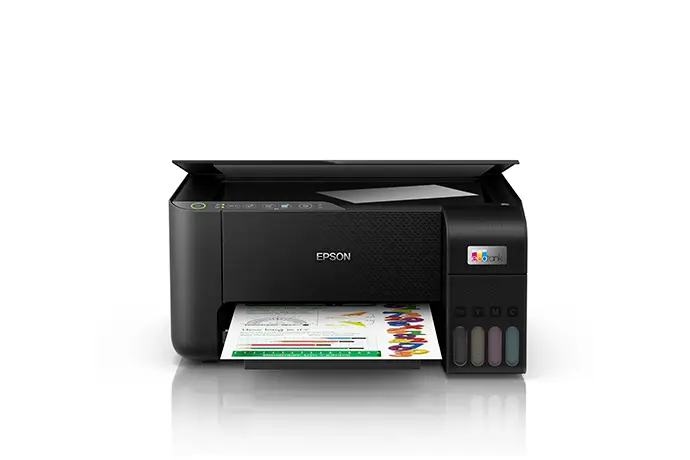
Printers always seem to stop working when you need them most. Before you call for help, try these quick fixes. They solve most everyday printer problems.
1. Printer shows “offline”
Turn off the printer and your router, wait 30 seconds, then turn the router on first and the printer second. On your computer, check that the right printer is selected as the default. Many “offline” problems are just Wi-Fi hiccups.
2. Paper jams
Turn the printer off and gently pull the paper out in the direction it normally travels. Check for small torn pieces. Don’t overfill the tray, and use dry, flat paper: damp paper is a common cause of jams in our humidity.
3. Faded or blank prints (ink printers)
Check the ink levels, then run a nozzle check from the printer menu. If lines are missing, run a head cleaning, but don’t run it over and over, as it uses a lot of ink. A printer that sits unused for weeks can dry out, so print a page now and then.
4. Streaks, lines or faded areas (laser printers)
Remove the toner and gently rock it side to side to spread the toner. If lines keep appearing in the same place, the drum unit may be worn, for example a Brother DR820 drum on many Brother laser models.
5. “Replace toner” or “Replace drum” message
Toner and drum are often separate parts. Toner runs out often; the drum lasts much longer. Check which one the message refers to before buying.
6. Printer won’t connect to Wi-Fi
Make sure the printer and your device are on the same network. Use the manufacturer’s app, such as Epson Smart Panel or Brother Mobile Connect, to set up the connection again.
7. Prints come out smudged
On ink printers, use the correct paper type setting. Glossy paper needs a photo setting. On laser printers, smudged toner can point to a fuser problem that needs a technician.
8. Cheap ink or toner causing trouble
Low-quality refills can cause poor prints, leaks and even damage. Genuine ink and toner cost a little more but protect your printer. We stock genuine supplies such as HP 131A toner, Brother and Xerox drums and toners, and Epson ink.
When to bring it in
If you hear grinding noises, see the same error after restarting, or the fixes above don’t help, it’s time for a technician. Bring the printer to us in Old Harbour. We’ll assess it and tell you what’s wrong before any repair, and repairs come with a 30-day warranty. We’re also an authorised Brother service centre.
Visit us or send a message
Wilson’s List Printers & Computer Centre is at 4 Ascot Drive, Old Harbour, St. Catherine. We’re open Monday to Friday 9am to 7pm and Saturday 10am to 6pm, and we deliver across Jamaica.
Call or WhatsApp +1 (876) 326-3136, or use our contact page.